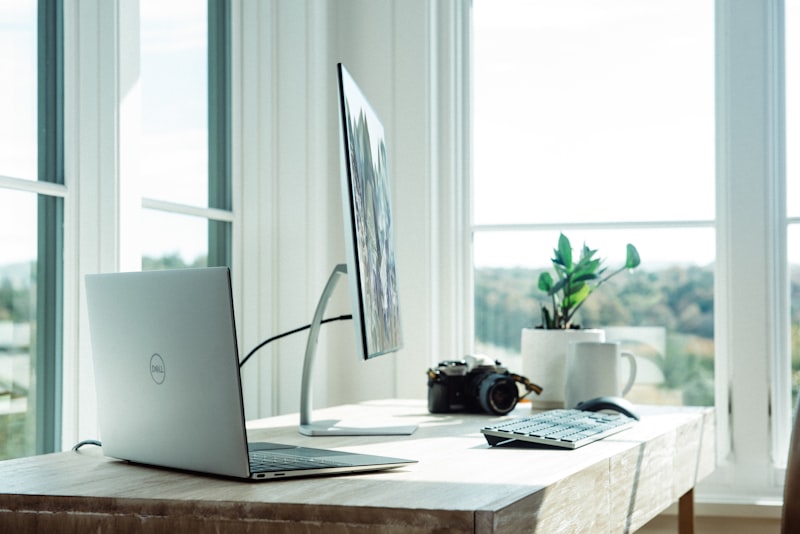
If you work from home 8+ hours a day and your back reminds you about it, a good standing desk can be one of the smartest upgrades you make in 2026. The right desk helps you alternate between sitting and standing, improve posture, reduce pressure on your lower back, and create a workspace that actually fits your body instead of forcing your body to fit the workspace.
But not all standing desks are equal. Some are rock-solid and smooth to adjust. Others wobble, struggle under heavy monitor setups, or have limited height ranges that make them frustrating for taller or shorter users. For this guide, we focused on the things that matter most for long workdays: stability, ergonomics, lifting performance, desktop quality, warranty, and overall value.
Below, you’ll find our top picks for the best standing desks in 2026 for home office users dealing with back pain, along with a practical ergonomics guide to help you set your desk up correctly.
Quick Comparison Table
| Standing Desk | Best For | Price Range | Height Range | Weight Capacity | Motor Type | Warranty | Desktop Materials |
|---|---|---|---|---|---|---|---|
| Uplift V2 Commercial | Editor’s Choice | $600-$900 | 22.6" to 48.7" | 355 lbs | Dual motor | 15 years | Laminate, bamboo, solid wood, reclaimed wood |
| FlexiSpot E7 Pro | Best Value | $400-$550 | 25.0" to 50.6" | 355 lbs | Dual motor | 15 years | Chipboard, bamboo, solid wood |
| Secretlab Magnus Pro | Best for Gamers | $700-$850 | 25.6" to 49.2" | 265 lbs | Dual motor | 5 years | Metal top with magnetic ecosystem |
| Fully Jarvis Bamboo | Best Eco-Friendly | $550-$750 | 24.5" to 50.0" | 350 lbs | Dual motor | 15 years | Bamboo, laminate, hardwood |
| IKEA+BEKANT | Best Budget | $350-$500 | 25.6" to 50.0" | 154 lbs | Dual motor | 10 years | Particleboard with laminate or veneer finish |
How We Chose the Best Standing Desks
For a work-from-home setup, especially if back pain is part of your daily routine, the best standing desk should do more than go up and down. We prioritized:
- Wide height range for proper ergonomic fit
- Stability at standing height
- Enough lifting power for dual monitors, monitor arms, laptops, and accessories
- Quiet, smooth motor performance
- Durable desktop materials
- Long warranty coverage
- Good value for the money
A desk that looks good but wobbles at 42 inches won’t help much if you spend all day typing, taking calls, or working across multiple screens.
Best Standing Desks 2026 Reviewed
Uplift V2 Commercial
Editor’s Choice
The Uplift V2 Commercial remains one of the safest recommendations for remote workers in 2026 because it gets the fundamentals right. It offers an unusually low starting height of 22.6 inches, making it one of the better options for shorter users or anyone trying to dial in a truly ergonomic seated posture. On the other end, it rises to 48.7 inches, which is enough for many tall users as well. The dual-motor frame is quick, smooth, and dependable, and the 355-pound lifting capacity means it can easily support a serious home office setup with dual monitors, arms, speakers, docking stations, and a heavy desktop.
Where the Uplift V2 Commercial really stands out is stability. The commercial frame includes a crossbar for added rigidity, which can make a noticeable difference if you type aggressively or use large ultrawide monitors. For people with back pain, this matters more than it seems. If your desk shakes every time you lean into the keyboard, you tend to tense your shoulders and wrists. A stable desk supports a more relaxed posture over long hours.
It’s also one of the most customizable desks on the market. Desktop material choices include laminate, bamboo, solid wood, and reclaimed wood, so you can prioritize either price, sustainability, or premium aesthetics. The 15-year warranty is another major selling point and helps justify the higher price range of $600 to $900.
Pros
- Excellent stability, especially at taller heights
- Very low minimum height works well for shorter users
- High 355 lb weight capacity
- Broad desktop material selection
- Strong 15-year warranty
- Great for serious multi-monitor home office setups
Cons
- More expensive than value-focused alternatives
- Crossbar may bother some users who want more under-desk openness
- Add-ons and premium tops can raise the total price quickly
Verdict: If you want one standing desk that does almost everything well, the Uplift V2 Commercial is the top all-around pick for 2026. It’s especially good for remote workers with back pain who need a stable, ergonomic desk for long daily use.
FlexiSpot E7 Pro
Best Value
The FlexiSpot E7 Pro hits a sweet spot for buyers who want premium-level performance without paying premium-brand pricing. At roughly $400 to $550, it delivers a lot of what people want in a high-end standing desk: dual motors, a 355-pound lifting capacity, a generous height range from 25.0 to 50.6 inches, and a lengthy 15-year warranty. That’s a very competitive package in this price bracket.
For home office workers, the E7 Pro’s biggest advantage is value without major compromise. It can handle heavy equipment comfortably, which is important if your setup includes multiple monitors, a desktop PC tower mounted underneath, or a large wood top. The motorized transitions are generally smooth and quiet enough for shared spaces or video-call-heavy workdays. Its max height of 50.6 inches also gives taller users more flexibility than many desks in the midrange segment.
In practice, the E7 Pro feels like a desk designed for practical users. It may not have the same premium finish options or design polish as some higher-priced competitors, but in terms of functional performance, it punches well above its price. Desktop options typically include chipboard, bamboo, and solid wood, so you still get decent customization. If back pain has you looking for an ergonomic solution but your budget isn’t unlimited, this is one of the easiest desks to recommend.
Pros
- Outstanding value for the features
- High 355 lb capacity rivals pricier desks
- Tall maximum height suits taller users
- Dual motors perform smoothly
- 15-year warranty is excellent for the price
- Good material options including bamboo and solid wood
Cons
- Minimum height is not as low as the Uplift V2 Commercial
- Fit and finish can feel less premium than top-tier models
- Accessory ecosystem is smaller than some competitors
Verdict: The FlexiSpot E7 Pro is the best value standing desk of 2026. It’s ideal for remote workers who want strong ergonomics and lifting performance without overspending.
Secretlab Magnus Pro
Best for Gamers
The Secretlab Magnus Pro is a standout if your home office also doubles as a gaming setup. Priced around $700 to $850, it’s built around a steel desktop and a highly organized cable-management system that feels cleaner and more premium than most standard office-focused standing desks. Its magnetic top and accessory ecosystem are genuinely useful, not just gimmicks. If you hate cable clutter, external RGB strips, tangled chargers, and awkward accessory mounting, this desk solves those pain points better than almost any competitor.
Its height range of 25.6 to 49.2 inches is workable for many users, though not class-leading for shorter people. The 265-pound lifting capacity is lower than some of the office-centric desks in this list, but still enough for most gaming and work setups with a couple of monitors, speakers, peripherals, and accessories. The dual motors are smooth, and the desk feels thoughtfully designed for users who want a polished setup without resorting to third-party cable trays and hacks.
For back pain relief, the Magnus Pro helps indirectly by making it easier to maintain a cleaner, more comfortable workstation. Good ergonomics are easier to sustain when your desk surface isn’t overcrowded and your monitor placement is easier to manage. That said, if your top priority is pure ergonomic flexibility or the best value per dollar, some of the other desks here make more sense. The Magnus Pro is more about experience, design, and integrated setup quality.
Pros
- Best-in-class cable management
- Premium all-metal construction
- Excellent for gaming and creator setups
- Magnetic accessory ecosystem is highly practical
- Smooth dual-motor adjustment
- Clean, modern look
Cons
- Lower 265 lb capacity than office-focused rivals
- Less flexible desktop material choice
- More expensive if you add accessories
- Minimum height may not suit shorter users as well
Verdict: If you game after work or want the cleanest, most organized desk setup possible, the Secretlab Magnus Pro is the best standing desk for gamers in 2026.
Fully Jarvis Bamboo
Best Eco-Friendly
The Fully Jarvis Bamboo remains one of the most appealing standing desks for buyers who care about sustainability, aesthetics, and everyday usability. In the $550 to $750 range, it offers a strong mix of eco-conscious materials and reliable standing desk performance. The bamboo top is the headline feature, but the desk also comes in laminate and hardwood options depending on the version. For many home offices, the bamboo surface strikes an excellent balance between durability, looks, and environmental appeal.
Performance-wise, the Jarvis Bamboo is still highly competitive. It offers a 24.5 to 50.0-inch height range, a 350-pound weight capacity, dual motors, and a 15-year warranty. That puts it close to the top performers in this category. The movement is generally smooth and quick, and while it may not feel quite as planted as the Uplift V2 Commercial in every configuration, it’s still a well-regarded desk for long daily use.
For users with back pain, the Jarvis Bamboo has a lot going for it. The height range supports frequent posture changes, the frame handles standard office loads easily, and the desktop feels more inviting than generic laminate surfaces. That may sound minor, but if your desk is where you spend most of your waking day, visual warmth and tactile quality matter. A workspace you enjoy using can encourage healthier habits, including more consistent sit-stand transitions.
Pros
- Attractive bamboo desktop option
- Strong eco-friendly appeal
- 350 lb capacity is excellent
- Wide height range
- Smooth dual-motor operation
- 15-year warranty
Cons
- Can be pricey depending on desktop size and finish
- Stability at maximum height may not match the top commercial frames
- Fewer “wow factor” features than premium niche models
Verdict: The Fully Jarvis Bamboo is the best eco-friendly standing desk for 2026, combining sustainability, style, and dependable ergonomic performance.
IKEA+BEKANT
Best Budget
The IKEA BEKANT is the budget-friendly pick for shoppers who want an electric standing desk from a familiar brand without jumping into the premium price tier. At around $350 to $500, it’s often one of the more accessible options for first-time standing desk buyers. The height range of 25.6 to 50.0 inches is decent, and the 10-year warranty is respectable at this price point.
That said, the BEKANT is very much a budget choice, and that means trade-offs. Its 154-pound weight capacity is far lower than the other desks in this roundup. For a simple work-from-home setup with a laptop, one monitor, and a few accessories, that’s usually fine. But if you plan to run dual monitors on heavy arms, studio gear, or a large desktop PC setup, it may feel limiting. Stability is also not as confidence-inspiring as the stronger frames above, especially at taller heights.
Still, for someone trying to improve posture and reduce time spent sitting on a tight budget, the BEKANT can be a meaningful upgrade over a fixed desk. The desktop materials are usually particleboard with laminate or veneer finishes, which are functional rather than premium. If you keep your expectations realistic, it’s a reasonable entry point into the standing desk category.
Pros
- Lowest price in this guide
- Good entry-level electric standing desk
- 10-year warranty is solid for a budget model
- Easy to buy from a widely available retailer
- Suitable for lighter setups
Cons
- Low 154 lb weight capacity
- Less stable than premium desks
- Basic desktop materials
- Not ideal for heavy dual-monitor or creator setups
Verdict: The IKEA BEKANT is the best budget standing desk in 2026 for lighter home office setups, but serious users should spend more if stability and long-term performance matter.
Best Standing Desk by Use Case
| Use Case | Recommended Desk | Why It Wins |
|---|---|---|
| Best Overall | Uplift V2 Commercial | Best mix of stability, height range, durability, and warranty |
| Best Value | FlexiSpot E7 Pro | Premium-level specs at a lower price |
| Best for Gaming | Secretlab Magnus Pro | Best cable management and accessory ecosystem |
| Best Eco Pick | Fully Jarvis Bamboo | Stylish bamboo top with strong overall performance |
| Best Budget | IKEA+BEKANT | Affordable entry into electric standing desks |
Ergonomics Guide for Back Pain and 8+ Hour Workdays
A standing desk only helps if it’s set up correctly. Many people buy one, set it too high or too low, and then wonder why their neck, shoulders, or lower back still hurt. Here’s how to use your new desk properly.
Proper Desk Height
Your desk height should allow your elbows to rest at roughly a 90-degree angle while typing. Your shoulders should stay relaxed, not shrugged upward. Your wrists should be straight, not bent up toward the keyboard.
A simple rule:
- Sitting: desk should be just below elbow height
- Standing: desk should again be at or just below elbow height
If the desk is too high:
- Shoulders rise
- Wrists bend upward
- Neck and upper traps get tight
If the desk is too low:
- You hunch forward
- Lower back rounds
- Wrists collapse downward
- You lean into the screen
For users with back pain, the goal is not to stand all day. The goal is to change positions regularly. A good starting pattern is:
- Sit for 30 to 45 minutes
- Stand for 15 to 20 minutes
- Move briefly every hour
Frequent posture changes are usually more helpful than trying to force yourself to stand for long stretches.
Monitor Position
Monitor placement is one of the biggest factors in neck and upper back strain.
Use these guidelines:
- Top of screen should be at or slightly below eye level
- Screen should be about an arm’s length away
- Center of monitor should align with your body, not off to one side
- If using dual monitors equally, center the gap between them
- If using one primary monitor, center that screen and place the secondary off to the side
For laptop users, a standing desk alone is not enough. You’ll usually need:
- A laptop stand or monitor riser
- External keyboard
- External mouse
Otherwise, your screen will be too low and your hands too high, which is a recipe for neck and shoulder pain.
Footwear and Floor Comfort
Standing on a hard floor for hours can create fatigue in your feet, knees, and lower back. Consider:
- Supportive shoes or cushioned slippers
- An anti-fatigue mat
- Small foot shifts or a footrest to alternate pressure
A little movement matters. Even subtle weight shifting reduces static strain.
Keyboard and Mouse Placement
Keep your keyboard and mouse close enough that your elbows stay near your torso. Reaching forward for long periods pulls your shoulders forward and can increase upper back and neck tension.
Don’t Lock Your Knees
When standing, keep a soft bend in your knees. Locked knees make standing feel more tiring and can contribute to discomfort over time.
Best Desk Features for Back Pain Sufferers
If back pain is a major concern, prioritize these features:
- Wide height range for precise fit
- Stable frame to avoid constant micro-tension
- Memory presets for easy sit-stand transitions
- Large enough desktop for proper monitor distance
- High weight capacity if using monitor arms
That’s why the Uplift V2 Commercial and FlexiSpot E7 Pro are such strong choices for work-from-home users. They make it easier to maintain proper alignment without fighting the desk.
Which Standing Desk Should You Buy in 2026?
If you want the safest premium pick, buy the Uplift V2 Commercial. It’s the best overall option for people working long days from home and dealing with back pain.
If you want the smartest bang-for-your-buck choice, go with the FlexiSpot E7 Pro. It delivers the most performance per dollar in this roundup.
If your setup is equal parts work and play, the Secretlab Magnus Pro is the best gaming-focused desk.
If you want a desk that looks warm and sustainable, the Fully Jarvis Bamboo is the eco-friendly favorite.
If you simply need an affordable electric standing desk for a lighter setup, the IKEA+BEKANT gets the job done on a budget.
FAQ
Are standing desks actually better for back pain?
They can help, but they are not a cure by themselves. The biggest benefit comes from alternating positions throughout the day instead of staying seated for 8+ hours straight. A standing desk can reduce prolonged pressure on the lower back, but proper height setup, monitor placement, and regular movement matter just as much.
How often should I switch between sitting and standing?
A practical starting point is 30 to 45 minutes sitting followed by 15 to 20 minutes standing. Adjust based on comfort. The best routine is the one you can maintain consistently without fatigue.
What height range do I need in a standing desk?
That depends on your height and whether you use a thick desktop, keyboard tray, or monitor arms. Shorter users generally benefit from desks with lower minimum heights, which is why the Uplift V2 Commercial is a strong choice. Taller users may prefer desks with 50-inch-plus maximum heights, such as the FlexiSpot E7 Pro.
Is dual motor better than single motor?
In most cases, yes. Dual-motor standing desks tend to lift more weight, adjust more smoothly, and offer better long-term performance than single-motor models. Every desk in this guide uses dual motors, which is one reason they stand out in 2026.
What weight capacity do I need?
For a basic setup with a laptop and one monitor, even 154 pounds may be enough. For dual monitors, heavy monitor arms, speakers, desk accessories, and larger desktops, 300 pounds or more gives you more flexibility and stability. That’s where the Uplift V2 Commercial, FlexiSpot E7 Pro, and Fully Jarvis Bamboo shine.
Are bamboo desktops durable?
Yes, quality bamboo tops are generally durable, attractive, and more eco-friendly than many conventional materials. They resist everyday wear well, though like any desktop, they still benefit from coasters, desk mats, and basic care.
Is the Secretlab Magnus Pro good for office work too?
Absolutely. While it’s marketed heavily toward gamers, its cable management and accessory system are also excellent for office professionals, creators, and anyone who wants a clean desk. Just keep in mind that you’re paying for premium design and ecosystem benefits, not only raw lifting specs.
Is IKEA BEKANT good enough for full-time remote work?
It can be, if your setup is light and your expectations are reasonable. For one monitor and standard office tasks, it’s a decent budget option. If you work 8+ hours daily with multiple displays or want a desk that feels more stable at standing height, it’s worth stepping up to something like the FlexiSpot E7 Pro.
What is the best standing desk overall in 2026?
For most people, the Uplift V2 Commercial is the best standing desk overall in 2026 because it combines premium stability, excellent ergonomics, strong lifting capacity, material variety, and a long warranty.
Final Thoughts
The best standing desk for 2026 is the one that helps you work comfortably for years, not just the one with the flashiest marketing. If you’re spending 8+ hours a day at your desk and dealing with back pain, prioritize fit, stability, and ease of daily use above everything else.
For most buyers, the Uplift V2 Commercial is the best investment. For value hunters, the FlexiSpot E7 Pro is incredibly compelling. And if aesthetics, gaming, sustainability, or budget matter more, there’s a strong alternative here for you too.
A good standing desk won’t replace movement, stretching, or proper posture. But paired with the right ergonomic setup, it can make your workday a lot more comfortable.